

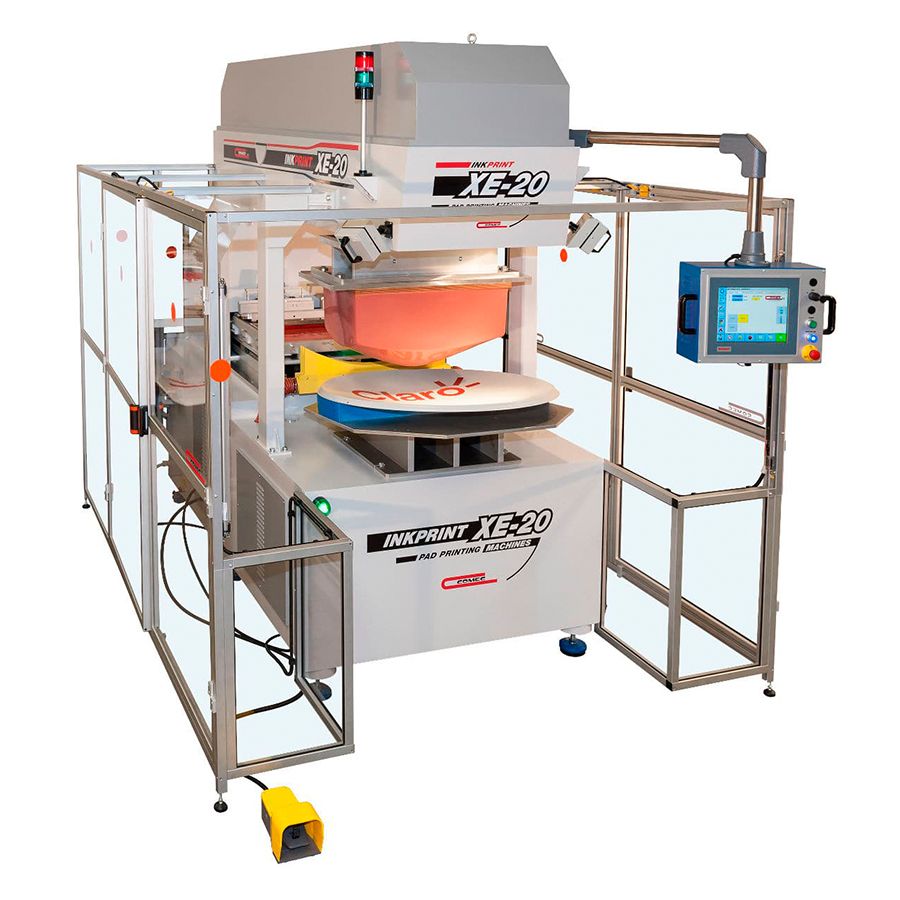
Information needed to evaluate this model
When evaluating XE20 1-Colour Pad Printing Machine, prepare the artwork at actual print size and a sample with the production substrate. Assess colour separations, product holding and loading time together when deciding the machine configuration.
Compare technical data
The values below are the recorded specifications for this model. If the table contains several model columns, identify the selected column separately in your quotation or sample file.
| Printing Specifications | XE20 1C | XE20 4C/5C | XE20 4C/5C Independent Pad | XE20 1C SLIDING |
|---|---|---|---|---|
| Number of Colours | 1 Colour | 4/5 Colour | 4/5 Colour | 1 Colour |
| Cliché Size | 220×440 mm | 220×440 mm | 220×440 mm | 220×650 mm |
| Closed Ink Cup Diameter | ø200 mm | ø200 mm | ø200 mm | ø200 mm |
| Maximum Printing Area | ø185 mm | ø185 mm | ø185 mm | 185 mm x 300 mm |
| Y-Axis Travel | 500 mm | 500 mm | 500 mm | 500 mm |
| Z-Axis Printing Travel | 390 mm | 390 mm | XXX mm | 390 mm |
| Maximum Printing Pressure | 15.000 N | 15.000 N | 15.000 N | 15.000 N |
| Supply and Control | ||||
| Control | Brushless Motor – Ball Screw | Brushless Motor – Ball Screw | Brushless Motor – Ball Screw | Brushless Motor – Ball Screw |
| Electrical Supply | 380 Volt | 381 Volt | 382 Volt | 383 Volt |
| Pneumatic Supply | 6 Bar | 7 Bar | 8 Bar | 9 Bar |
| Dimensions | ||||
| Width | 1700 mm* | 1700 mm* | 1700 mm* | 1700 mm* |
| Length | 1800mm* | 1800mm* | 1800mm* | 1800mm* |
| Height | 2265 mm* | 2265 mm* | 2265 mm* | 2265 mm* |
| Weight Including Stand | ± 1200 kg* | ± 1200 kg* | ± 1200 kg* | ± 1200 kg* |
How the colour configuration affects the job
This record shows a 1-colour configuration. Match the artwork colour separations to the model configuration and define each colour’s position on the product using common references. For multicolour jobs, record colour registration and cycle steps as well as the colour count.
What options are available in the same series?
Models sharing a series name may have different colour configurations or applications. Use the full model name when comparing them and check each technical table’s dimensions separately.
Include other component selections in the file
Fixtures, silicone pads, clichés and inks form a complete application setup. The model table alone does not confirm suitability for every part; prepare a test print on the actual product. Show surface pretreatment and post-printing steps separately in the workflow.
Compare quotations under the same conditions
- Identical product sample and artwork at final print size
- Number of colours and colour references
- Daily volume target and product loading and unloading steps
- Product material, coating and required print inspection